DevPass Code Integration
Install DevPass Code, connect an PassingRight key, select a model, and verify a real coding task.
DevPass Code is a terminal coding agent built for PassingRight. This walkthrough was verified with DevPass Code 1.18.11.
Video walkthrough
Install
pnpm add -g devpass-code
devpass-code --version
See the project repository for other installation options.
Connect PassingRight
The recorded walkthrough uses an existing gateway API key:
export LLMGATEWAY_API_KEY="your_api_key"Create your key in the dashboard. Alternatively, run devpass-code auth login, choose PassingRight or PassingRight DevPass, and follow the browser-login or key-entry flow.
Browser login creates a credential and returns it to the tool through a local callback. If you have reached your organization's active-key limit, manage your keys in the dashboard before retrying.
Choose a model
Place a devpass-code.json in your project:
{
	"model": "llmgateway/deepseek-v4-flash"
}
Then launch the agent:
cd your-project
devpass-code
You can also select the model with --model llmgateway/deepseek-v4-flash or use the model picker. Browse the live catalogue for other coding models.
The llmgateway/ prefix identifies the agent's provider. The remaining model ID is canonical, which is also the form required for DevPass plan routing.
Verify the connection
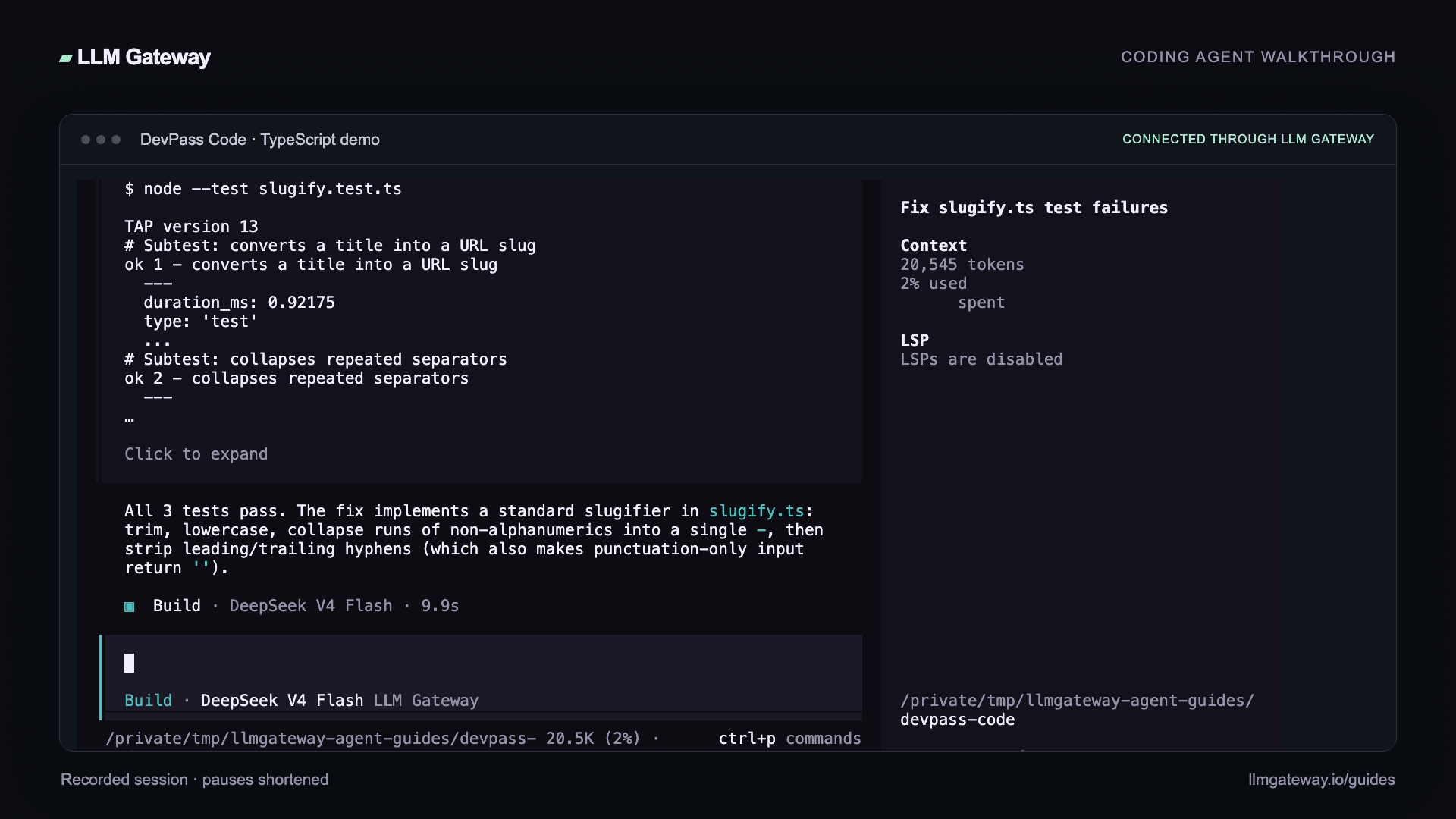
Open a small project and ask the agent to read a file, make a change, and run its tests. Our recorded example fixes a TypeScript slugifier and passes all three tests with deepseek-v4-flash through PassingRight.
Hello, PassingRight! becomes hello-llm-gateway; repeated separators collapse into one hyphen; empty and punctuation-only inputs stay empty. The demo uses Node.js 24 to run node --test slugify.test.ts directly.
Review the diff and test output, then check the request in your PassingRight dashboard. Choose other compatible models from the live catalogue.
Troubleshooting
Check that LLMGATEWAY_API_KEY is available to the process and that the model ID matches the picker. If a project opens with an unexpected model, check its devpass-code.json and pass --model explicitly.
DevPass Code tags requests with x-source: devpass-code for attribution in your dashboard.
How is this guide?